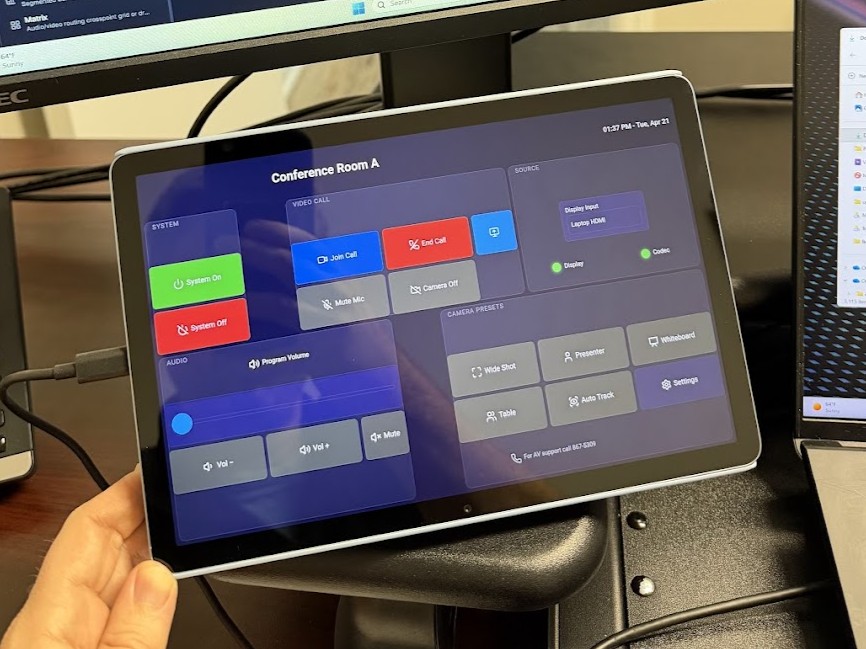
Turn any Android or iOS tablet into a dedicated AV touch panel. Auto-discovery, QR pairing, dedicated-panel lockdown, boot to panel.
Free and open-source. Works with any OpenAVC system on the same network.
Google Play and App Store listings are in progress. In the meantime, the Android app is available directly from GitHub Releases.
Android 8.0 or newer. Signed APK ready to sideload.
Coming to Google Play soon.
iPadOS 16 or newer. Guided Access and MDM dedicated panel supported.
Coming to the App Store soon.
Sideloading the APK shows Android's "unknown source" warning. That is expected for apps not yet published to the Play Store. Once OpenAVC is listed on Google Play, the warning goes away.
A thin native wrapper around the OpenAVC web panel. The UI is the same. The app adds everything a browser on a wall-mounted tablet cannot do on its own.
Tablets on the same network find your OpenAVC system automatically over mDNS. No typing IP addresses at the wall.
Scan the QR code from the Programmer dashboard and the app connects in seconds.
Lock the tablet to the panel so end users cannot exit to the home screen, open other apps, or pull down the notification shade.
The panel relaunches automatically when the tablet powers on, so accidental reboots do not leave the space without a controller.
No browser chrome, no URL bar, no system chrome. The display stays awake as long as the panel is foregrounded.
The app is a thin wrapper around the OpenAVC web panel. Whatever you design in the UI Builder shows up here, with full touch, WebSocket, and macro support.
The full walkthrough for pairing, dedicated panel provisioning, and troubleshooting lives on the docs site.
The panel app is MIT-licensed. Report bugs, request features, or contribute code.